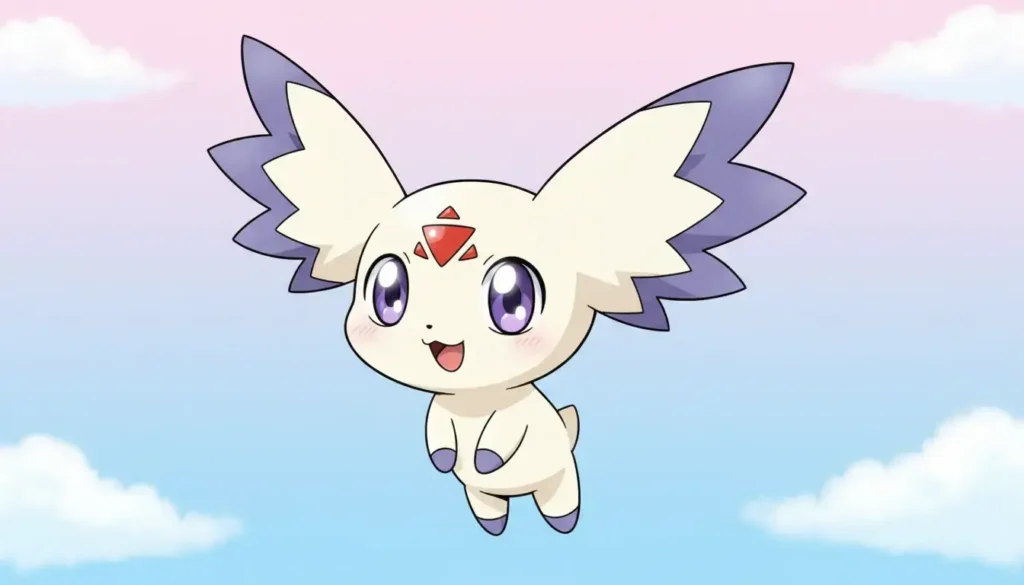

Calumon AI art has exploded in popularity among Digimon fans, but creating accurate character fanart presents unique challenges. Want to create professional Calumon AI art or Jellymon fanart for DeviantArt, but drawing isn’t your thing? Commissioning artists typically runs $30-100 per piece. Standard AI generators often miss those distinctive character features—wrong ear shapes, off-brand colors, or frustratingly inconsistent results each time you hit generate.
Reference image technology changes everything for Calumon AI art creation. Upload 10 images of your favorite Digimon, the AI learns their exact design down to the smallest details, then you’re generating 4K fanart in under 5 seconds with 95% character accuracy. This guide shows you exactly how to create stunning Calumon AI art and Jellymon fanart with 18 copy-paste prompts. You can start testing this right now with 36 free credits.
BanaGen’s reference image feature has become essential for creators worldwide who need character consistency across multiple artworks—especially when building cohesive portfolios or designing sticker sets where every piece needs to match perfectly.
Why Reference Images Make Calumon AI Art Better
The Technical Difference That Matters
Traditional AI generators work entirely from text prompts. You type “Calumon,” and the AI interprets that word based on its training data. The problem? It might generate something Calumon-like, but the ears are too long, the Digital Hazard symbol is missing, or the proportions feel off. Hit generate again with the same prompt, and you’ll get a completely different result. Even popular tools like the Google image generator face this same limitation—without reference images, character accuracy simply can’t be guaranteed.
Reference image AI takes a fundamentally different approach for creating accurate Calumon AI art. When you upload 10 images of Calumon from different angles, the AI analyzes visual features directly: the exact ear shape, eye size and sparkle pattern, color palette with specific hex values, body proportions, and that distinctive floating pose. The AI locks in these character design elements, so every generation maintains 90-95% accuracy compared to 60-70% with text-only prompts.
This distinction becomes critical when you’re creating a series of Calumon AI art. Imagine designing a 20-sticker pack where Calumon needs to look identical across different poses and expressions. With text-only AI, you’d spend hours regenerating and hoping for consistency. With reference images, you upload once and every subsequent generation maintains that character design. Once you have multiple pieces ready, you can also blend them into one scene using BanaGen’s AI image combiner—no sign-up required to test it out.
Visual Comparison: Text-Only vs Reference Images
| Factor | Text-Only AI | AI + Reference Images |
|---|---|---|
| Character accuracy | 60-70% | 90-95% |
| Consistency | ❌ Changes each generation | ✅ Stays consistent |
| Learning curve | Hard (complex prompts needed) | Easy (images do the work) |
| Best for | Generic concepts | Specific characters |
Preparing Reference Images for Calumon AI Art
Quality reference images make the difference between good Calumon AI art and great results. Spending 15 minutes gathering the right references saves hours of regeneration later.
Where to Find High-Quality Calumon References
For creating accurate Calumon AI art from Digimon Tamers, you’ll want official art mixed with high-quality fan works:
- Digimon Wiki: Official character art with clean backgrounds and multiple poses
- Pixiv: Search “カルモン” (Calumon in Japanese) for the Japanese fanart community’s high-resolution works
- DeviantArt: Filter by “Highest Rated” with “Calumon” tag for quality community art
- Google Images: Use “Calumon official art PNG” to find transparent background versions ideal for references
- WithTheWill: Digimon community forums often have character reference compilations
Where to Find High-Quality Jellymon References
Jellymon from Digimon Ghost Game has more complex features (those flowing tentacles!), so reference quality matters even more:
- Digimon Wiki: Official Jellymon art and character details
- Pixiv: Search #ジェリーモン (258+ high-quality illustrations with detailed tentacle work)
- Twitter/X: #ジェリーモン hashtag for active Japanese fan community daily posts
- Toei Animation: Official Digimon Ghost Game promotional materials
- Cults3D: Search “Jellymon” for 3D model references showing front, side, and back views clearly
The 10-Image Formula for Perfect Results
Don’t just grab 10 random images. Strategic variety teaches the AI different aspects of the character.
For Calumon (compact, simple design):
- 3 images: Front view focusing on eyes, ears, and the Digital Hazard symbol on the forehead
- 2 images: 3/4 angle view showing depth and side profile
- 2 images: Full body shots capturing body proportions and size relative to other elements
- 2 images: Close-up details of distinctive features (those large ears, expressive eyes)
- 1 image: Signature floating/hovering pose that defines the character
For Jellymon (complex design with tentacles):
- 4 images: Full body views where tentacles are completely visible and flowing naturally
- 3 images: Face close-ups highlighting those big expressive eyes and facial features
- 2 images: Action poses showing tentacles in motion or different positions
- 1 image: Side/profile view for body structure understanding
Reference Image Quality Checklist
Before uploading, verify each image meets these standards:
✅ Requirements:
- Minimum resolution: 512×512 pixels (higher is better, aim for 1024px+)
- Clear subject: Character isn’t obscured, cropped awkwardly, or partially off-frame
- Good variety: Different angles, poses, and lighting conditions
- Clean images: Sharp focus, minimal compression artifacts, good color accuracy
❌ Avoid these common mistakes:
- Blurry or heavily pixelated images that lack detail
- Heavy watermarks covering character features (light corner watermarks are fine)
- Multiple characters in one image (AI gets confused about which to learn)
- Fan art that’s already inaccurate to the original design
Optional: Quick Preprocessing Tips
These steps aren’t required but can improve results:
- Remove backgrounds: Use Remove.bg or similar tools to eliminate busy backgrounds, helping AI focus purely on character features
- Crop to square: 1:1 ratio crops before uploading create consistency across your reference set
- Brightness adjustment: If images are too dark, increase brightness slightly so details are visible
Pro tip: Mix official art (3-4 images) with high-quality fanart (6-7 images) for best results. Official art provides design accuracy, while varied fanart teaches the AI how to interpret that design in different contexts.
10 Calumon AI Art Prompts: Copy-Paste Ready
These tested prompts generate professional Calumon AI art in seconds. Each prompt is optimized for specific use cases from social media to portfolio pieces.
⚠️ Critical note: When using reference images in BanaGen, add this phrase to every prompt: “based on reference images, exact character design from Digimon Tamers” — this tells the AI to prioritize your uploaded references over its general training data.
🎯 Group 1: Social Media Ready
These prompts generate 1:1 ratio images perfect for Instagram, Twitter, Facebook, and TikTok. Cute style typically drives high engagement.
Prompt #1 – Basic Cute Style
Calumon from Digimon Tamers, based on reference images, chibi style, big sparkling eyes, happy expression, pastel background, kawaii anime art, 4K
Best for: Profile pictures, avatars, stickers
Settings: 1:1 ratio | Nano Banana standard (12 credits)
💡 New to Nano Banana? Before diving into the prompts, make sure you know how to get the most out of the tool. Check out our step-by-step guide on how to use Nano Banana in Gemini—from first access to conversational editing tricks that save hours of iteration time.
📸 Example Result:

Calumon chibi style generated with reference images | 1:1 ratio | 12 credits
Want to take seasonal content further? BanaGen’s happy birthday AI image generator lets you combine your Calumon or Jellymon references with festive birthday themes—perfect for custom greeting cards or Discord birthday posts for fellow Digimon fans.
Prompt #2 – Seasonal Content
Calumon exact design from reference, spring theme with cherry blossoms, pink petals falling, soft lighting, anime illustration style
Best for: Seasonal posts (easily swap cherry blossoms → snowflakes/pumpkins/hearts)
Pro tip: This template works year-round with simple keyword changes
Prompt #3 – Meme Template
Calumon based on references, surprised expression, exaggerated anime reaction face, clean white background, sharp focus
Best for: Reaction memes, viral content, Discord emotes
🎨 Group 2: DeviantArt Portfolio Quality
High-detail, artistic Calumon AI art pieces that stand out in portfolios and get featured.
Prompt #4 – Digital Painting
Calumon from Digimon Tamers using reference design, digital painting style, vibrant colors, detailed shading, professional anime artwork, 4K masterpiece
Best for: Portfolio centerpieces, print sales
Settings: 16:9 ratio | Nano Banana Pro 4K (50 credits)
Prompt #5 – Fantasy Scene
Calumon exact reference design, magical crystal cave environment, glowing gems, ethereal lighting, fantasy atmosphere, anime art, high detail
Best for: Featured submissions, contest entries
🖼️ Group 3: Print & Merchandise Ready
High resolution, centered compositions designed for commercial use.
Prompt #6 – Poster Design
Calumon from references, heroic floating pose, dramatic top lighting, gradient background blue to purple, centered composition, anime poster style, 4K ultra HD
Best for: Wall art, posters
Settings: 2:3 ratio (standard poster dimensions) | 4K required for print quality
Prompt #7 – Sticker Design
Calumon based on reference images, cute chibi, clean design, simple composition, sticker art style, perfect for die-cut printing
Best for: Sticker packs, merchandise
Pro tip: Keep backgrounds simple for easier die-cut production
⚡ Group 4: Advanced & Experimental
Prompt #8 – Epic Digivolution
Calumon exact design from Digimon Tamers references, unleashing Light of Digivolution, golden energy aura, dramatic lighting, epic composition, cinematic anime style, 4K
Best for: Dramatic wallpapers, epic artwork that stands out
Prompt #9 – Style Fusion
Calumon from references, Studio Ghibli art style, soft watercolor aesthetic, whimsical atmosphere, Miyazaki-inspired, beautiful illustration
Best for: Unique artistic interpretations, portfolio variety
💡 Want a different animation style? If you prefer the iconic 3D animated look over Ghibli’s 2D aesthetic, try the Pixar Style AI Image Generator—upload any image and transform it into a Disney Pixar-style illustration instantly.
Prompt #10 – Emotional Storytelling
Calumon based on reference design, watching sunset, nostalgic mood, warm orange lighting, emotional depth, anime movie scene style, detailed
Best for: Story-driven posts, emotional engagement
💡 Quick Customization Guide
Easily modify any prompt by swapping these elements:
| Element | Swap Options |
|---|---|
| Background | forest → ocean → city → space → mountain → meadow |
| Mood | happy → sad → excited → mysterious → peaceful → playful |
| Time | sunset → midnight → dawn → golden hour → noon |
| Weather | sunny → rainy → snowy → cloudy → starry night |
| Season | spring → summer → autumn → winter |
Example modification:
- Base: “Calumon with cherry blossoms, spring theme…”
- Modified: “Calumon with falling leaves, autumn theme…”
- Modified: “Calumon with snowflakes, winter theme…”
8 Jellymon AI Art Prompts: Mastering Complex Characters
⚠️ The Jellymon Challenge
Jellymon is significantly more complex to generate than Calumon due to several factors:
- Flowing tentacles must look natural and graceful, not stiff or robotic
- Translucent body requires special keywords for semi-transparent texture
- Complex gradient colors (magenta pink → cyan blue → purple with lime accents)
- Balance between cute and elegant aesthetics
Solution: Precise keywords combined with vertical aspect ratios that don’t crop those tentacles.
🌊 Group 1: Underwater Scenes
Underwater environments naturally explain Jellymon’s translucent body and flowing movement.
Prompt #1 – Magical Ocean
Jellymon from Digimon Ghost Game based on reference images, swimming gracefully underwater, flowing tentacles, bioluminescent jellyfish, magenta pink to cyan blue with purple gradient, lime green tentacle accents, soft volumetric lighting, anime art, 4K
Why it works: Underwater context naturally explains translucent body and flowing movement
Settings: 9:16 vertical ratio (shows full tentacles) | Nano Banana Pro (25-50 credits)
Pro tip: “Volumetric lighting” adds depth and realistic glow effects
📸 Example Result – Underwater Scene:

Jellymon underwater with perfect tentacles | 9:16 vertical | Nano Banana Pro
Prompt #2 – Coral Reef
Jellymon exact design from references, coral reef environment, tropical fish, sun rays from surface, crystal clear water, beautiful anime illustration
Best for: Vibrant, colorful compositions with environmental storytelling
⚡ Group 2: Action & Battle
Prompt #3 – Electric Attack
Jellymon from Digimon Ghost Game using reference design, electric shock attack, glowing tentacles with electricity sparks, dynamic action pose, dramatic lighting, anime battle scene, high detail
Settings: 9:16 vertical (prevents tentacle cropping during dynamic poses)
Prompt #4 – Defensive Stance
Jellymon based on references, defensive pose with tentacles spread like shield, determined expression, motion blur effect, epic background, cinematic anime style
💖 Group 3: Cute & Kawaii
Prompt #5 – Chibi Space
Jellymon exact reference design, chibi version, adorable big eyes, floating in space with stars and planets, kawaii style, pastel colors, soft lighting
Best for: Merchandise, stickers, cute social media content
Prompt #6 – Beach Relaxation
Jellymon from references, resting on sunny beach, gentle waves, sunset background, peaceful atmosphere, warm colors, anime slice-of-life style
🎨 Group 4: Artistic & Portfolio
Prompt #7 – Ethereal Portrait
Jellymon based on Digimon Ghost Game references, portrait composition, translucent body with inner glow, ethereal beauty, detailed character art, trending style, masterpiece quality, 4K
Pro tip: “Inner glow” keyword combination creates translucent + bioluminescent effect simultaneously
📸 Example Result – Artistic Portrait:

Jellymon ethereal portrait style | High detail | Reference-based generation
Prompt #8 – Cyberpunk Fusion
Jellymon exact design from references, neon-lit cyberpunk city, rain-soaked streets with light reflections, futuristic atmosphere, dramatic mood, anime art meets sci-fi
🔧 Jellymon-Specific Keyword Guide
Master these keywords for consistent Jellymon results:
For flowing tentacles:
- ✅ Use: “flowing tentacles”, “graceful movement”, “ribbon-like tentacles”, “tentacles swaying”
- ❌ Avoid: “straight tentacles”, “stiff” (creates unnatural, rigid look)
For translucent body (based on official design):
- ✅ Use: “translucent body”, “semi-transparent”, “inner glow”, “bioluminescent effect”
- 💡 Layer them: “translucent body with bioluminescent inner glow” works exceptionally well
For accurate colors (verified from Digimon Wiki):
- ✅ Specific: “magenta pink to cyan blue purple gradient, lime green tentacle tips, blue head with lime accents”
- Reference: Light pink body, dark violet-lime fingers, blue hat with lime tentacles (official color scheme)
- ❌ Generic: “colorful”, “bright” (AI will randomize colors incorrectly)
Best aspect ratios for Jellymon:
- ✅ 9:16 or 2:3 vertical (shows full tentacles without cropping)
- ⚠️ 16:9 horizontal typically crops tentacles badly
Testing note: If tentacles still crop in 9:16, try 2:3 ratio (slightly wider) or 1:1 square with “full body visible, tentacles flowing downward” in your prompt. Most users report 9:16 works best for full tentacle visibility.
Step-by-Step: Your First Generation
From zero to finished artwork in under 10 minutes.
Step 1: Sign Up & Get Free Credits (2 minutes)
- Navigate to https://banagen.com/app
- Click “Sign Up” and create account using Google or email
- Receive 36 free credits automatically (equals 3 standard quality images)
- Verify your email if prompted
Step 2: Upload Reference Images (3 minutes)
- Click “Create New Image” button from dashboard
- Locate the “Reference Images” section
- Upload your 10 carefully prepared images
- Drag images to reorder—place most important references first
- Preview to ensure all images loaded correctly
Step 3: Enter Your Prompt (1 minute)
- Copy any prompt from the sections above
- Paste into the main text box
- Critical: Verify the phrase “based on reference images, exact character design from Digimon” is included
- Customize elements if desired (background, mood, etc.)
Step 4: Configure Settings (2 minutes)
For first-time users (testing mode):
- Model: Nano Banana (12 credits per image)
- 💡 Tip: Want to test Nano Banana before spending credits? Try Nano Banana 2 Free Online—generate images instantly with no sign-up required.
- Resolution: Standard
- Aspect Ratio: 1:1 (social media friendly)
- Number of Images: 1 (test before batch generation)
For final/professional work:
- Model: Nano Banana Pro (up to 50 credits for 4K depending on settings)
- Resolution: 4K (3840×2160 pixels)
- Aspect Ratio: Match your intended use (2:3 for posters, 16:9 for wallpapers, 9:16 for Jellymon)
- Number of Images: 2-3 (generate options, pick the best)
Step 5: Generate (5 seconds)
- Click the “Generate” button
- Wait 3-5 seconds for processing
- Review your result
Step 6: Refine If Needed (Optional)
Use conversational editing to adjust specific elements:
- “Make the eyes bigger and more sparkly”
- “Add more glow effect around the character”
- “Change background to starry night”
- “Make the pose more dynamic”
- “Increase brightness on the character”
Generate again with these refinements until you’re satisfied with the result.
💰 Credit Cost Reference
| Model | Resolution | Credits | Best Use Case |
|---|---|---|---|
| Nano Banana | Standard | 12 | Testing prompts, social media posts |
| Nano Banana Pro | Standard | 25 | High-quality posts, portfolio |
| Nano Banana Pro | 4K | Up to 50 | Prints, professional work, merchandise |
With your 36 free credits, you can create:
- 3 standard Nano Banana images (test different prompts), OR
- 1 Nano Banana Pro standard image plus iterations for refinement
Pro tip: Maintain consistency across multiple images by using the exact same reference images for all generations in a series, keeping the same model (don’t switch between Nano Banana and Pro mid-project), saving successful prompts in a document for future use, and always including “based on reference images” in every prompt.
Sharing Your Calumon AI Art on DeviantArt
Creating great Calumon AI art is half the battle. Getting eyes on your work requires strategy.
Optimize Your Upload Metadata
Title Formula That Works
[Character] - [Theme/Mood] | AI Art | 4K
Examples:
- “Calumon AI Art – Magical Forest Adventure | 4K”
- “Jellymon – Underwater Fantasy | AI Digimon Fanart”
- “Calumon – Sunset Nostalgia | AI Art | 4K”
Strategic Tag System (30 tags maximum)
Tier 1 – Broad reach (10 tags):
#Digimon #AIArt #AnimeArt #DigitalArt #FanArt #AIGenerated #AnimeFanart #DigimonFanart #AIArtwork #AIAnime
Tier 2 – Specific targeting (10 tags):
#Calumon #Jellymon #DigimonTamers #DigimonGhostGame #CalumonFanart #JellymonArt #DigimonCommunity #DigimonLove #Tamers #GhostGame
Tier 3 – Long-tail keywords (10 tags):
#CalumonAIArt #JellymonFanart #DigimonAIArt #AnimeAIGenerator #4KAnimeArt #AIDigimon #DigimonWallpaper #CuteDigimon #DigimonArtwork #CalumonCute
Description Template
🎨 Created with BanaGen AI Art Generator (powered by Nano Banana)
✨ Using 10 reference images for character accuracy
📐 Resolution: 4K (3840x2160px)
⏱️ Generation time: 5 seconds

💭 Prompt used:
[paste your full prompt here]

🔥 Want to create similar Digimon art?
Try the tool (36 free credits): https://banagen.com/app

💬 Which Digimon should I create next? Drop suggestions below! 👇

#Digimon #Calumon #AIArt
Timing Your Posts for Maximum Visibility
Peak posting times (based on DeviantArt traffic analytics):
- US/Americas: 8-10 PM EST (peak browsing after work/school hours)
- Weekend boost: 5-9 PM EST Saturdays and Sundays (highest overall traffic)
- Europe: 6-8 PM GMT (evening browsing time)
- Japan/Asia: 9-11 PM JST (Digimon’s home market, strong engagement rates)
Smart scheduling strategy: Post at 8-9 PM EST on weekdays to catch US evening traffic. Schedule posts for 5-9 PM EST on weekends for maximum reach across all time zones.
Recommended posting frequency:
- Week 1: Daily posts to build momentum and test what content resonates
- Weeks 2-4: 3-4 posts per week to maintain presence without spamming
- Content rotation: Alternate Calumon → Jellymon → Other Digimon for variety
Build Community Connections
Join active DeviantArt groups:
- Search “Digimon-Fans-Unite” and similar active communities (thousands of members combined)
- “AI-Art-Gallery” (large community welcoming AI-generated work)
- “Anime-Fanart-Community” (broad reach for anime-style content)
Cross-platform amplification:
- Pixiv (Japanese market): Use tags #デジモン #カルモン (Calumon) and #ジェリーモン (Jellymon – 258+ illustrations in community)
- Reddit: r/digimon (~200K+ members, highly active fanart discussions) and r/aiArt (1.2M+ members, fastest-growing AI art community)
- Twitter/X: Hashtags #Digimon #DigimonFanart #AIart plus Japanese tags #ジェリーモン for Japanese community
- Instagram: Post Reels showing generation process as timelapse (behind-the-scenes content performs well)
Engagement tactics that work:
- Reply to every comment within 24 hours (algorithm boost + community building)
- Ask questions in descriptions: “Which Digimon should I create next?”
- Create polls: “Calumon cute style vs epic style – which do you prefer?”
- Tag artists whose reference art you used (with credit and permission)
Troubleshooting Common Issues
Even with reference images, you might encounter these issues. Here’s how to fix them.
❌ Issue #1: AI Doesn’t Match Original Character Design
Symptoms: Wrong colors, incorrect proportions, missing distinctive features like Calumon’s Digital Hazard symbol or Jellymon’s lime accents
Common causes:
- Low-quality or insufficient reference images
- Not enough variety in angles and poses
- Prompt too generic without reference instruction
- Images failed to upload properly
Solutions:
- ✅ Upload minimum 8-10 clear, high-resolution images (don’t skip this step)
- ✅ Include close-up shots of defining features (ears, eyes, symbols, color patterns)
- ✅ Add to every prompt: “based on reference images, exact character design from Digimon [Series Name]”
- ✅ Check the image preview panel to ensure all references loaded correctly
- ✅ If using fanart references, verify they’re accurate to the original design first
❌ Issue #2: Jellymon Tentacles Look Wrong
Symptoms: Stiff or straight tentacles, tentacles cut off at frame edge, weird tentacle anatomy, or missing tentacles entirely
Common causes:
- Wrong aspect ratio (16:9 horizontal crops tentacles badly)
- Missing flow keywords in prompt
- Insufficient tentacle-focused reference images
- Standard model struggling with complex details
Solutions:
- ✅ Use 9:16 or 2:3 vertical ratio instead of 16:9 horizontal
- ✅ Add specific keywords: “flowing tentacles, graceful movement, ribbon-like tentacles”
- ✅ Upload at least 3-4 reference images that clearly show full tentacles in different positions
- ✅ Upgrade to Nano Banana Pro (better at handling complex character details)
- ✅ Try 2:3 ratio if 9:16 still crops, or use 1:1 with “full body visible, tentacles flowing downward”
❌ Issue #3: Colors Are Inaccurate
Symptoms: Wrong color palette, washed out colors, overly saturated, or missing gradient effects
Solutions:
- ✅ Use specific color names: “magenta pink, cyan blue, purple gradient, lime green accents” instead of generic “pink and blue”
- ✅ Upload reference images with good lighting (avoid dark, dim, or poorly lit images)
- ✅ Add to prompt: “vibrant colors” or “accurate colors from reference images”
- ✅ For Jellymon specifically: “magenta pink to cyan blue purple gradient, lime green tentacle tips”
- ✅ Check your monitor’s color calibration if colors consistently look off
❌ Issue #4: Background Too Busy or Distracting
Symptoms: Character gets lost in busy background, background competes for attention, or too many environmental details
Solutions:
- ✅ Add to prompt: “simple background” or “clean background”
- ✅ Or specify exactly what you want: “soft gradient background from blue to purple”
- ✅ Use: “character focus, detailed character, simple environment” to prioritize character over background
- ✅ For merchandise/prints: “solid color background” or “white background” works best
❌ Issue #5: Inconsistent Results Between Generations
Symptoms: Each generation looks significantly different despite using the same prompt and references
Solutions:
- ✅ Verify all 10 reference images uploaded successfully (check preview panel)
- ✅ Use the same model consistently (don’t switch between Nano Banana and Pro mid-project)
- ✅ Save successful prompts exactly as written for future use
- ✅ Ensure “based on reference images” appears in every single prompt
- ✅ Keep reference images in the same order for all generations in a series
💡 Efficient Workflow: Test → Refine → Scale
Save credits and time with this proven workflow:
- Test phase: Generate 3-5 variations using Nano Banana standard (12 credits each)
- Refine: Pick the best result, analyze what worked, tweak prompt based on learnings
- Scale: Generate final version using Nano Banana Pro 4K (up to 50 credits) with optimized prompt
This approach saves credits compared to going straight to 4K, and you learn what works for your specific character interpretation.
Pricing Guide: Choose Your Plan
💰 BanaGen Pricing – February 2026
🎁 Free Trial for Everyone:
- 36 free credits automatically for new signups
- Equals 3 images with Nano Banana standard (12 credits/image)
- Perfect for testing all the Calumon AI art and Jellymon prompts in this guide
- No credit card required to start
📦 Credit Packages (One-Time Purchase)
| Package | Price | Credits | Standard Images | 4K Images | Best For |
|---|---|---|---|---|---|
| Starter | $5 | 500 | ~41 | ~10 | Testing after free trial |
| Advance | $20 | 2000 | ~166 | ~40 | One-time projects |
🔄 Monthly Plans (Best Value for Regular Creators)
| Plan | Price/Month | Credits | Standard Images | 4K Images | Recommended For |
|---|---|---|---|---|---|
| Creator | $9.99 | 1000 | ~83 | ~20 | Hobby creators (2-3 posts/week) |
| Pro ⭐ | $19.99 | 2100 | ~175 | ~42 | Daily content creators |
| Agency | $29.99 | 3200 | ~266 | ~64 | Studios, bulk production |
🎨 Model Credit Costs
| Model | Resolution | Credits per Image | Best Use Case |
|---|---|---|---|
| Nano Banana | Standard | 12 | Social media, testing prompts |
| Nano Banana Pro | Standard | 25 | High-quality posts, portfolio |
| Nano Banana Pro | 4K (3840×2160) | Up to 50 | Prints, professional work, merchandise |
Note: Pricing as of February 2026. Credit costs may vary based on specific settings. Check banagen.com/app/pricing for the latest rates.
⚖️ Commercial Rights
- Free tier: Non-commercial use only (CC BY-NC license) – perfect for portfolios and social media
- Pro & Agency plans: 100% commercial rights – sell prints, merchandise, NFTs, or use in client work
🧮 Value Breakdown
- Creator plan ($9.99): 83 standard images = ~$0.12 per image
- Pro plan ($19.99): 175 standard images = ~$0.11 per image (best value) ⭐
- Mix strategy: Use standard (12 credits) for testing, 4K (up to 50 credits) for finals to maximize your credits
Which plan fits you?
- Just starting out: Free 36 credits → Starter $5 package if you want more
- Hobby creator (2-3 posts weekly): Creator monthly ($9.99)
- Active content creator (daily posts): Pro monthly ($19.99)
- One-time project (sticker pack, series): Advance package ($20)
📋 Full pricing details: https://banagen.com/app/pricing
Start Creating Your Calumon AI Art Today
The same reference image technology that makes Calumon fanart accurate works just as well for real people. If you want to create a special personalized image for someone—like a fantasy portrait for a wedding or anniversary—check out BanaGen’s AI wedding photo generator for stunning, lifelike results.
You now have everything you need: reference gathering strategies, 18 tested prompts for Calumon AI art and Jellymon fanart, troubleshooting solutions, and DeviantArt optimization tactics.
Your Quick Start Action Plan
- Gather references (15 minutes): Collect 10 high-quality images following the formulas in this guide
- Create free account (2 minutes): Sign up at BanaGen and claim your 36 free credits
- Test prompts (10 minutes): Try 3 different prompts from this guide using your free credits
- Refine (5 minutes): Pick your best result and iterate with conversational editing
- Share strategically: Post to DeviantArt with optimized titles, tags, and timing
Join the Community
Share your Calumon AI art and Jellymon creations:
- DeviantArt: Tag #BanaGenDigimon so others can find your work
- Twitter/X: Tag @BanaGen and use #DigimonAIArt
- Reddit: Post to r/digimon (200K+ members) and r/aiArt (1.2M+ members)
- Pixiv: Japanese community tags #デジモン #カルモン #ジェリーモン
What’s Next?
Once you’ve mastered Calumon AI art and Jellymon fanart, the same techniques work perfectly for other Digimon characters:
- Guilmon (fan favorite from Tamers)
- Renamon (highly popular character)
- Agumon (franchise mascot)
- Gatomon (classic character)
- Any Digimon that matters to you
The reference image system works identically—just gather 10 good references and customize the prompts in this guide with your character’s name and features.
Get Started Now
👉 Create your first Calumon AI art: https://banagen.com/app (36 free credits)
📋 Review pricing options: https://banagen.com/app/pricing
💬 Questions or Need Help?
Drop your questions in the comments below. Which Digimon are you creating first? Share your Calumon AI art results—we reply to every comment and love seeing what the community creates!
Coming soon: Guilmon, Renamon, and Agumon AI art guides with character-specific prompts and tips.
Bookmark this guide and return to it whenever you’re creating Digimon fanart. The prompts, troubleshooting tips, and strategies here will save you hours of trial and error.
