
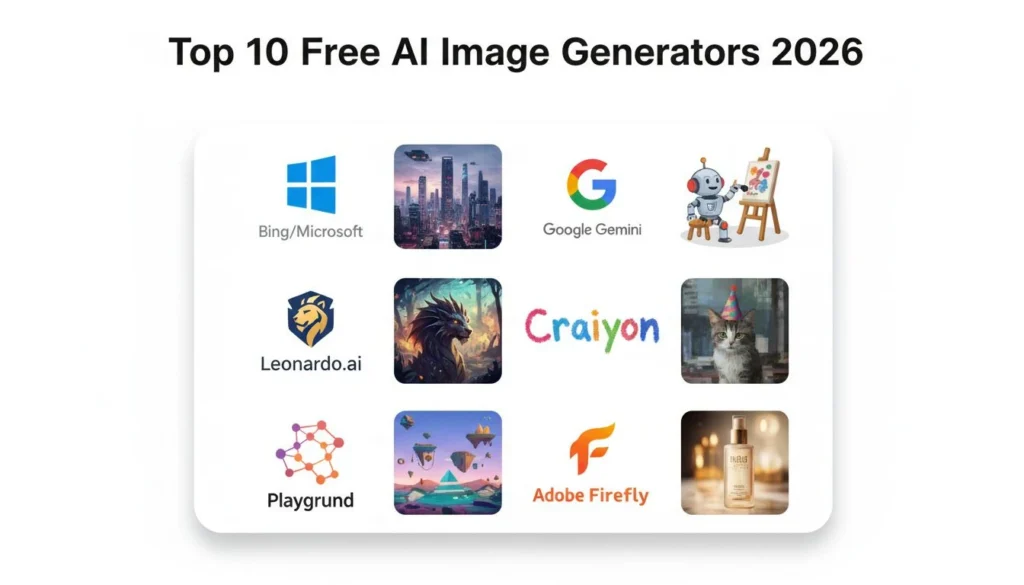

⚡ Quick Answer: Best Free AI Image Generators
Top 3 for 2026:
- Bing Image Creator – Unlimited free, DALL-E 3 powered (Best overall)
- Leonardo.ai – 150 daily tokens free (Best for daily creators)
- Craiyon – Unlimited with ads (Best for quick tests)
📖 Read below for: Complete comparison of 10 tools, honest limitations, quality examples, and which to choose for your needs.
You searched “free AI image generator” expecting actually free tools. This guide compares the 10 best free AI image generators available in 2026, ranking them by actual usability and ongoing value. Not “free trials” that expire in 3 days. Not “freemium” platforms giving you 2 images then demanding $30/month.
I tested 25+ AI image generators over the past 6 months to find which ones deliver real value at $0 cost. Here are the 10 best, ranked by actual usability and ongoing free access.
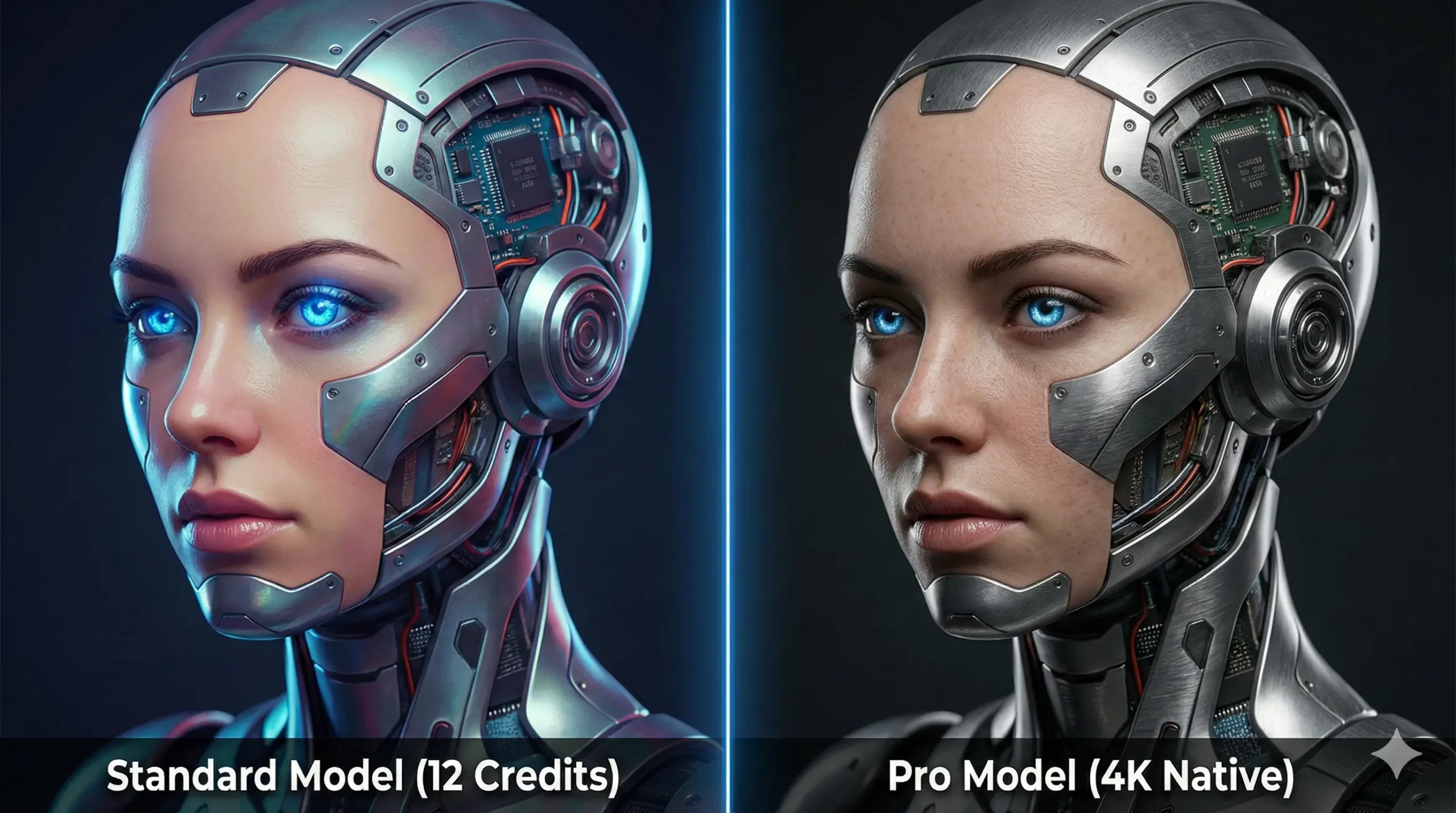
Quality comparison across free AI image generators – all created with free tiers, no payment required.
Before comparing specific free AI image generators, let’s clarify what “free” actually means in this space.
What “Free” Actually Means (AI Image Generators)
Before diving into specific tools, let’s clarify three categories of “free”:
1. Completely Free Unlimited
No daily limits, no expiration, no payment ever required. Examples: Bing Image Creator, Craiyon.
Best for: Casual users, hobbyists, anyone wanting zero-commitment access to a free AI image generator without daily limits.
2. Free with Daily Limits
Ongoing free access but capped daily/monthly generations. Examples: Leonardo.ai (150 tokens/day), Playground AI (50 images/day).
Best for: Regular creators needing a reliable free AI image generator with generous daily budgets.
3. Free Trial Then Paid
Limited free credits to test, then requires paid plans. Examples: Midjourney (no free tier), BanaGen (36 credits then $10/mo).
Best for: Testing before committing to paid subscriptions.
This guide focuses primarily on categories #1 and #2—tools offering genuine ongoing free access, not just trials.
Top 10 Free AI Image Generators Ranked by Value (2026)
After testing 25+ platforms, these are the 10 best free AI image generators ranked by quality, speed, and ongoing free access.
1. Bing Image Creator – Best Overall Free Option
Technology: DALL-E 3 (OpenAI/Microsoft partnership)
Free Tier: Unlimited generations
Quality: Excellent (top-tier AI model)
Speed: 10-15 seconds per image
What you get for free:
- Unlimited image generations (no daily cap)
- DALL-E 3 quality (same as ChatGPT Plus $20/mo users get)
- 1024×1024 resolution
- No watermarks
- No signup required (but recommended for saving history)
Limitations:
- Content policy is strict (some prompts rejected)
- Slower during peak hours
- Microsoft account recommended for best experience
Best for: Anyone wanting professional-quality free AI images without daily limits. Perfect for bloggers, students, personal projects.
Verdict: If you only try one free AI image generator, make it this one. Unlimited DALL-E 3 access at $0 is unbeatable.
Access: bing.com/create
2. Leonardo.ai – Best for Daily Content Creators
Technology: Proprietary models + Stable Diffusion variants
Free Tier: 150 tokens daily (30-50 images depending on settings)
Quality: Excellent (multiple style models)
Speed: 5-10 seconds per image
What you get for free:
- 150 daily tokens (refreshes every 24 hours)
- Multiple AI models: Anime, Photorealism, 3D, Illustration
- Up to 1024×1024 resolution
- Image editing tools (upscale, variations, canvas)
- Commercial use allowed on free tier
Limitations:
- Daily token limit (though generous at 150)
- Some advanced models require paid subscription
- Occasional queue times during peak hours
Best for: Content creators needing consistent daily output. Social media managers, YouTubers, bloggers posting regularly.
Pro tip: Tokens refresh at midnight UTC. Generate your daily batch first thing in the morning for fastest speeds.
Verdict: Best free option for creators who need volume. 150 daily tokens = 900-1,500 images per month at $0.
Access: leonardo.ai
3. Craiyon (Formerly DALL-E Mini) – Best for Quick Tests
Technology: Custom lightweight model
Free Tier: Unlimited with ads
Quality: Good (not excellent, but usable)
Speed: 60-90 seconds per image (slower)
What you get for free:
- Unlimited generations
- No signup required
- Instant start (no waitlist)
- Simple interface (easiest learning curve)
Limitations:
- Lower image quality (256×256 or 512×512)
- Slower generation (60-90 seconds)
- Ads between generations (removable with $5/mo)
- Less detailed/realistic than competitors
Best for: Quick concept sketches, meme creation, brainstorming ideas without quality pressure.
Verdict: Not the prettiest results, but genuinely free and unlimited. Good for rapid ideation before refining with better tools.
Access: craiyon.com
4. Playground AI – Best for Experimentation
Technology: Stable Diffusion XL + proprietary models
Free Tier: 50 images per day
Quality: Very good to excellent
Speed: 10-15 seconds
What you get for free:
- 50 daily image generations
- Multiple base models (SDXL, Playground v2.5)
- 1024×1024 resolution
- Advanced editing canvas
- Prompt guidance tools
Limitations:
- 50 images/day cap (resets at midnight)
- Lower resolution than paid plans
- Some premium models locked
Best for: Users wanting advanced controls and experimentation without daily limit pressure.
Verdict: Strong middle-ground between Bing’s simplicity and Leonardo’s power. 50 daily images is generous.
Access: playground.com
5. Microsoft Designer – Best for Social Media Graphics
Technology: DALL-E 3 + design templates
Free Tier: 15 boosts per day (DALL-E 3 fast mode)
Quality: Excellent
Speed: 5-8 seconds with boosts
What you get for free:
- 15 daily “boosts” (DALL-E 3 generations)
- Built-in design templates (Instagram, Facebook, etc.)
- Text overlay tools
- Background removal
- Brand kit support
Limitations:
- Only 15 boosted generations daily
- Focused on design templates (not pure image generation)
- Requires Microsoft account
Best for: Social media managers needing ready-to-post graphics with text overlays.
Verdict: If you need social graphics (not just images), this beats Bing Image Creator. Templates save hours of Canva work.
Access: designer.microsoft.com
6. Ideogram – Best Free Text Rendering
Technology: Proprietary text-focused model
Free Tier: 25 prompts per day
Quality: Very good (exceptional for text)
Speed: 10-12 seconds
What you get for free:
- 25 daily prompts (4 images per prompt = 100 images/day)
- Best-in-class text rendering accuracy
- Multiple aspect ratios
- Remix/variation features
Limitations:
- 25 prompt limit (though each generates 4 images)
- Lower resolution than competitors
- Newer platform (smaller community)
Best for: Creating images with readable text (posters, signage, book covers, memes with captions).
Verdict: If your images need text, Ideogram beats everyone else—including paid tools. 100 free images daily is generous.
Access: ideogram.ai
7. Canva AI (Magic Media) – Best for Non-Designers
Technology: Partnership with Stable Diffusion
Free Tier: 50 lifetime credits (then paid)
Quality: Good
Speed: 15-20 seconds
What you get for free:
- 50 one-time credits (not recurring)
- Integrated with Canva’s design tools
- Templates and layouts included
- Drag-and-drop editing
Limitations:
- Only 50 credits ever (not monthly refresh)
- Lower quality than dedicated AI generators
- Requires Canva Pro ($13/mo) for unlimited
Best for: Canva users wanting to test AI generation without leaving their workflow.
Verdict: Not truly “free ongoing,” but useful for Canva loyalists. Use 50 credits for testing, then switch to Bing/Leonardo for volume.
Access: canva.com (Apps → Magic Media)
8. Adobe Firefly – Best for Adobe Users
Technology: Adobe Firefly (proprietary)
Free Tier: 25 monthly generative credits
Quality: Very good (commercially safe)
Speed: 8-12 seconds
What you get for free:
- 25 monthly credits
- Multiple generation types (text-to-image, fill, expand)
- Commercial-safe output (trained on licensed content)
- Photoshop/Illustrator integration
Limitations:
- Only 25 credits/month (very limited)
- Requires Adobe account
- Some features cost multiple credits
Best for: Adobe Creative Cloud subscribers wanting commercially-safe AI assets integrated with their workflow.
Verdict: Too limited for primary use (25/month), but valuable for Adobe ecosystem users needing legal safety.
Access: firefly.adobe.com
9. Perchance AI – Best for Anime/Character Art
Technology: Stable Diffusion (various models)
Free Tier: Unlimited
Quality: Good to very good (style-dependent)
Speed: 20-30 seconds
What you get for free:
- Unlimited generations
- Specialized anime/character models
- No signup required
- Negative prompts supported
Limitations:
- Slower than competitors
- Less polished interface
- Best for specific styles (not general purpose)
Best for: Anime artists, character designers, manga/webtoon creators needing unlimited free access.
Verdict: Niche but powerful. If you need anime/character art specifically, this beats general-purpose tools.
Access: perchance.org/ai-image-generator
10. BanaGen – Best Free Trial Quality
Technology: Google Gemini Nano Banana (Gemini 2.5 Flash Image)
Free Tier: 36 one-time credits (3-5 high-quality images)
Quality: Excellent (Google’s latest model)
Speed: 3-5 seconds (fastest here)
What you get for free:
- 36 welcome credits (no expiration)
- Access to both standard and Pro models
- 4K resolution with Pro (4096×4096)
- 97% text rendering accuracy (Pro model)
- Fastest generation speed (3-5 seconds)
Limitations:
- Not ongoing free (36 credits one-time, then $10/mo for 1,000 credits)
- Commercial use requires paid plan
- Must transition to paid for continued use
Best for: Testing premium AI quality before committing to paid subscriptions. Comparing Google’s Gemini tech to other tools.
Verdict: Not “free” long-term, but the 36 credits let you experience cutting-edge quality (Google Gemini 2.5) at $0. Use for testing, then decide if quality justifies $10/mo. For comprehensive side-by-side quality testing with identical prompts, speed benchmarks, text rendering accuracy comparisons, and honest recommendations on when to use each tool, see our detailed Google vs Nano Banana analysis.
Access: app.banagen.com
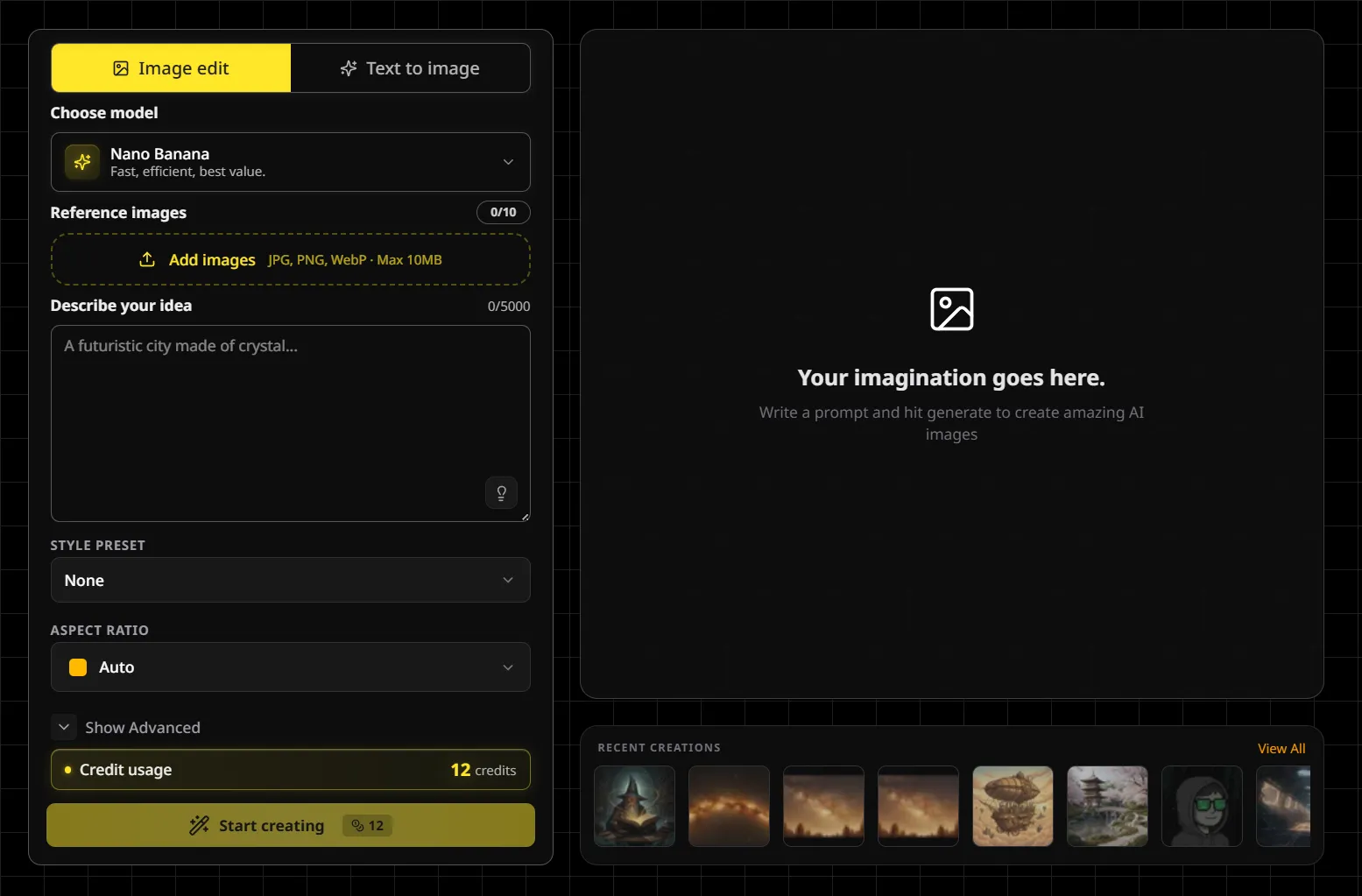
BanaGen offers 36 free credits to test Google’s Gemini AI – excellent quality but not ongoing free like Bing or Leonardo.
Complete Comparison Table
This comparison table shows how each free AI image generator performs across key metrics:
| Tool | Free Tier | Quality | Speed | Best For |
|---|---|---|---|---|
| Bing Image Creator | Unlimited | Excellent | 10-15s | Best overall free |
| Leonardo.ai | 150/day | Excellent | 5-10s | Daily content creators |
| Craiyon | Unlimited | Good | 60-90s | Quick concepts |
| Playground AI | 50/day | Very good | 10-15s | Experimentation |
| Microsoft Designer | 15/day | Excellent | 5-8s | Social graphics |
| Ideogram | 100/day | Very good | 10-12s | Text rendering |
| Canva AI | 50 lifetime | Good | 15-20s | Canva users |
| Adobe Firefly | 25/month | Very good | 8-12s | Adobe users |
| Perchance AI | Unlimited | Good-Very good | 20-30s | Anime/character art |
| BanaGen | 36 credits once | Excellent | 3-5s | Testing premium quality |
Understanding Google’s AI Image Ecosystem
Google offers several AI image generation technologies that often confuse users: Gemini’s Nano Banana, Google Imagen, and DeepMind Imagen. While Nano Banana (available through BanaGen and Gemini app) focuses on conversational editing and speed, Google also develops Imagen—a separate research-grade model from DeepMind optimized for photorealism and advanced image editing. For technical deep-dives into how DeepMind Imagen works, its diffusion model architecture, training methodology, and how it compares to consumer-facing tools like Nano Banana, see our detailed technical analysis.
Which Free AI Image Generator Should You Choose?
If You Want: Unlimited Free Forever
Choose: Bing Image Creator
For most users, this is the best free AI image generator to start with—unlimited DALL-E 3 generations at $0 cost.
No daily caps, excellent quality, DALL-E 3 technology. This should be everyone’s starting point.
If You Need: Daily High Volume (30-150 images/day)
Choose: Leonardo.ai
150 daily tokens = 30-50 quality images every day. Best value for consistent creators.
If You Want: Best Text Rendering
Choose: Ideogram
100 free images daily with readable text. Perfect for posters, memes, social graphics with captions.
If You Need: Social Media Templates
Choose: Microsoft Designer
Combines AI generation with ready-made templates. Export directly to Instagram/Facebook/LinkedIn.
If You’re Testing: Before Paid Commitment
Choose: BanaGen
36 free credits let you test Google’s Gemini 2.5 quality (fastest speed, 4K resolution) before deciding on $10/mo plans.
If You’re On: Tight Budget, Need Volume
Hybrid Strategy:
- Primary: Bing Image Creator (unlimited daily)
- Backup: Leonardo.ai (150 more/day if needed)
- Fallback: Craiyon (unlimited for quick tests)
This combination gives you 150+ free quality images daily without paying anything.
If You Want: Google’s Latest Technology
Choose: BanaGen or Gemini
Google offers multiple paths to access their cutting-edge image generation technology. BanaGen provides the fastest entry with 36 free credits to test Nano Banana (Google’s latest model), while the Gemini app offers 3-10 free daily images. For a complete breakdown of all Google image generation options including Gemini, ImageFX, AI Studio, and Vertex AI—plus pricing, feature comparisons, and which to choose for your needs—see our comprehensive Google AI Image Creator guide.
Frequently Asked Questions
Are these AI image generators really free forever?
Yes, with clarifications: Bing Image Creator and Craiyon are genuinely unlimited free forever. Leonardo.ai and Playground AI have daily limits but refresh every 24 hours indefinitely. BanaGen and Canva AI are one-time free credits (not recurring).
Can I use free AI-generated images commercially?
Depends on the tool:
- Yes: Leonardo.ai, Playground AI (check their terms)
- Personal use only: Bing Image Creator (commercial use unclear), BanaGen free tier
- Safe for commercial: Adobe Firefly (trained on licensed content)
Always check each platform’s Terms of Service for commercial rights before using in client work or products.
What’s the catch with “unlimited free” tools?
Common limitations:
- Slower speeds during peak hours (server priority goes to paid users)
- Lower resolution caps compared to paid tiers
- Content restrictions (some prompts rejected for safety)
- No priority support if issues occur
But these are minor inconveniences for $0 cost. If speed and support matter, consider paid plans after testing free tiers.
Which free AI image generator has the best quality?
Bing Image Creator (DALL-E 3) and Leonardo.ai tie for best quality among free AI image generators.
Can I use multiple free tools simultaneously?
Absolutely! Recommended strategy:
- Use Bing for daily unlimited generations
- Use Leonardo.ai when you hit Bing’s style limitations (150 more/day)
- Use Ideogram for text-heavy images (100 more/day)
- Use Craiyon for unlimited quick concepts
This gives you 250+ free quality images daily by cycling through platforms.
Do free AI generators train on my images?
Most do, check terms:
- Bing/Microsoft: Likely uses for model improvement
- Leonardo.ai: Public images used for training (can make private)
- Adobe Firefly: Does not train on user content (privacy-focused)
If privacy is critical, use tools with explicit “no training” policies or keep images private/unlisted.
How can I improve the quality of free AI-generated images?
Use AI upscaling tools: Most free generators produce 1024×1024 images, which may look pixelated when printed or displayed at large sizes. After generating your images, enhance them using AI upscaling tools to increase resolution from 1K to 4K or even 8K. Our comprehensive guide covers free and paid upscaling options including Google’s Vertex AI upscaler, BanaGen’s built-in 4K enhancement, Topaz Gigapixel AI, and waifu2x—with detailed quality comparisons and step-by-step tutorials for each platform.
Level Up Your AI Image Generation Skills
Ready to go beyond free tools and master professional AI image creation? These comprehensive guides cover advanced techniques, Google’s ecosystem, and optimization strategies:
🎯 Google AI Tools
- Google AI Image Creator – Complete guide to all Google image generation platforms
- Nano Banana – What is Google’s conversational AI image generator
- DeepMind Imagen – Technical deep-dive into Google’s research model
📊 Detailed Comparisons
- Google vs Nano Banana – Side-by-side quality testing and speed benchmarks
- How to Use Nano Banana – Step-by-step tutorial with 50+ prompts
- Nano Banana in Gemini – Understanding the ecosystem integration
🚀 Advanced Techniques
- Upscaling tools – Enhance 1K images to 4K-8K quality
- Gemini 2.5 Benchmarks – Performance testing and optimization
- Google AI Models Guide – Complete ecosystem and API documentation
Conclusion: Start Free, Upgrade Smart
After testing 25+ platforms, the best free AI image generator for most people is Bing Image Creator—the only unlimited free AI image generator powered by DALL-E 3 technology.
Use free tiers to:
- Test workflows – Find which tool fits your creative process
- Compare quality – See if paid plans justify $10-30/month
- Build portfolio – Generate hundreds of samples before monetizing
- Learn prompting – Master techniques without financial pressure
Only upgrade to paid plans when:
- You consistently max out free daily limits
- You need commercial usage rights
- Speed and priority access matter for deadlines
- You require higher resolutions (4K+)
For most creators, free tiers provide everything needed. The AI image revolution is here—and it’s more accessible than ever.
Ready to Start Creating?
Try Bing Image Creator (unlimited free) or BanaGen (36 free credits to test Google’s Gemini quality)
About this guide: All tools tested January 2026. Free tier details verified from official sources. No sponsored placements—rankings based on actual usability and value. Updated monthly as platforms change policies.
