

Quick answer: Google’s AI art tools (Gemini and ImageFX) are great for fast mockups and photorealistic images, but they still lack some controls designers need (repeatability, precise layout, and predictable style). If you want a creator-focused workflow, BanaGen gives new users 36 free credits on first Google login (one-time), and up to 4K output is available with Nano Banana Pro on paid plans.
AI art Google tools have exploded in popularity. From Gemini’s Nano Banana to ImageFX, millions of users are experimenting with Google’s image generation capabilities every day.
But here’s the uncomfortable question that professional designers are asking: Can Google design AI actually replace human creativity? Or is it just a fancy toy that produces impressive-looking but ultimately limited results?
After extensive testing of every major Google art generator in 2026, the answer is nuanced. Google’s AI excels at photorealism and quick mockups — but falls short in ways that matter deeply to professional creators.
This guide examines the real capabilities and limitations of AI art Google tools, and introduces alternatives better suited for serious design work.
AI Art Google: What Can Gemini Actually Create?
Let’s start with what AI art Google does well. Google’s image generation technology, powered by DeepMind’s advanced neural networks and integrated across Gemini, has made remarkable progress. To understand the technical foundation behind these capabilities, read our in-depth analysis of Imagen for art generation and how it compares to other AI image models.
Gemini 3 Pro Image can now generate images up to 4096px resolution — a massive leap from earlier versions. The “Nano Banana Pro” model specifically handles image generation with impressive text rendering capabilities, achieving what Google claims is 97% accuracy in spelling words correctly within images.
For Google art generator use cases, Gemini excels at:
- Photorealistic images: Product shots, landscape photography, portrait-style images
- Quick concept visualization: Turning rough ideas into visual mockups
- Text-in-image rendering: Creating posters and graphics with legible typography
- Iterative editing: Refining images through conversational prompts
According to Google’s official documentation, both Gemini 2.5 Flash Image and Gemini 3 Pro Image support multi-turn image editing, allowing users to make progressive changes to their creations.
Google Design AI: The Professional Designer’s Perspective
Now let’s examine Google design AI from a professional standpoint. Can these tools genuinely support — or replace — the work of graphic designers, illustrators, and creative directors?
The short answer: not yet.
While design tools Google offers are technically impressive, they lack critical features that professional designers rely on daily:
1. Limited Style Control
Google’s AI excels at photorealism but struggles with specific artistic styles. Want anime? Watercolor? A particular illustrator’s aesthetic? Results are inconsistent at best.
Reddit users have noted that “Gemini Studio, while good at photorealism, still hasn’t mastered more stylized or abstract artistic forms.” This limitation severely restricts Google AI for designers working in illustration, character design, or branded visual identities.
2. Aggressive Content Filtering
Perhaps the most frustrating aspect of AI art Google tools is the heavy censorship. Android Authority called Gemini “the most censored AI chatbot” they’ve tested, and this extends to image generation.
Legitimate creative requests — fantasy characters, dramatic lighting, certain fashion styles, artistic nudity for fine art contexts — frequently trigger safety filters. For professional artists, this unpredictability makes Google’s tools unreliable for client work.
3. Missing Design-Specific Features
Professional design requires precise control over:
- Exact dimensions and aspect ratios
- Color palettes and brand consistency
- Layer-based editing
- Typography placement and styling
- Export formats optimized for different use cases
Google’s design tools offer none of this granular control. You describe what you want; the AI decides how to deliver it. This black-box approach frustrates designers who need predictable, reproducible results.
Google Art Generator vs. Dedicated Design Tools
How does the Google art generator stack up against alternatives specifically built for creative professionals?
| Feature | Google AI (Gemini/ImageFX) | Midjourney | BanaGen |
|---|---|---|---|
| Photorealism | Excellent | Very Good | Excellent |
| Anime/Illustration | Limited | Excellent | Excellent |
| Text Rendering | Good (97%) | Poor | Excellent (97%+) |
| Style Flexibility | Low | High | Very High |
| Content Freedom | Very Restricted | Moderate | Flexible |
| Resolution | Up to 4096px (Gemini 3 Pro Image) | Up to 2K | Up to 4K with Nano Banana Pro (paid plans) |
| Price | Free tier available | $10-60/month | 36 free credits for new users + Paid plans |
The comparison reveals a pattern: Google prioritizes safety and photorealism over creative flexibility. This makes sense for a company with Google’s brand reputation concerns — but it leaves professional creators underserved.
Design Tools Google: What’s Available in 2026
Let’s map out every design tools Google currently offers for AI-assisted creation:
1. Gemini App (Consumer)
The most accessible entry point. Free users get Gemini 2.5 Flash for basic image generation. Paid subscribers ($19.99/month for AI Pro) unlock higher limits and Nano Banana Pro capabilities.
Best for: Quick mockups, social media content, personal projects.
Limitations: No professional export options, strict content filters, limited style control.
2. ImageFX (Experimental)
Available free at labs.google/fx, ImageFX provides experimental access to Google’s image generation. It’s surprisingly capable for a free tool but lacks advanced features.
Best for: Experimentation, learning AI art generation.
Limitations: No batch processing, inconsistent results, aggressive filtering.
3. Google AI Studio (Developer)
For technical users, Google AI Studio provides API access to both Imagen and Gemini image models. This offers more control but requires coding knowledge.
Best for: Developers building AI-powered applications.
Limitations: Not designed for direct creative use, complex setup, usage costs.
4. Vertex AI (Enterprise)
Google’s enterprise platform offers the full Google AI for designers at scale, including custom model training and commercial licensing.
Best for: Large organizations with dedicated AI/ML teams.
Limitations: Enterprise pricing, significant technical requirements.
For a deeper dive into how these platforms work together and which one is right for your specific design needs, see our comprehensive guide to Google AI tools and their technical capabilities.
Google AI for Designers: The Censorship Problem
We need to address the elephant in the room: Google AI for designers comes with significant content restrictions that impact legitimate creative work.
Google’s safety guidelines state their goal is “avoiding outputs that could cause real-world harm or offense.” In practice, this translates to:
- No generation of recognizable public figures
- Restrictions on certain body types and poses
- Limitations on violence, even in clearly fictional contexts
- Blocks on certain fantasy/sci-fi themes
- Inconsistent handling of artistic nudity
For commercial illustration, character design, editorial content, or fine art, these restrictions create unpredictable roadblocks. A children’s book illustrator might find their dragon scene blocked. A fashion designer might struggle to generate certain poses. A game artist might hit walls with fantasy armor designs.
Some users report that policy enforcement can change over time, which makes workflows harder to predict for professional projects. The cat-and-mouse game between users seeking creative freedom and Google’s safety team makes professional reliance on these tools risky.
BanaGen: AI Art Google Alternative Built for Creators
If AI art Google tools feel too restrictive, BanaGen offers an alternative designed specifically for visual creators.
How does BanaGen solve the problems with Google’s approach?
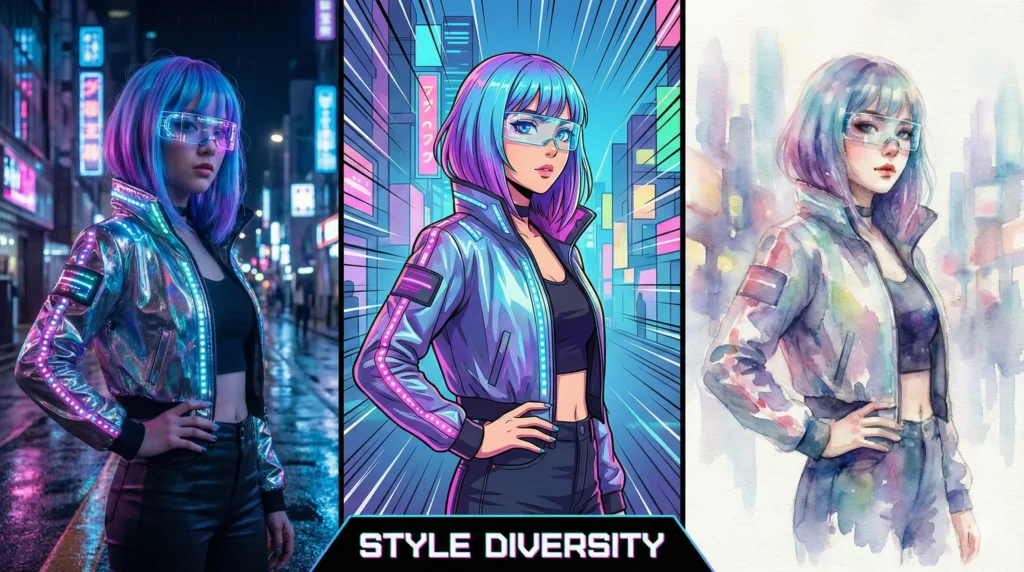
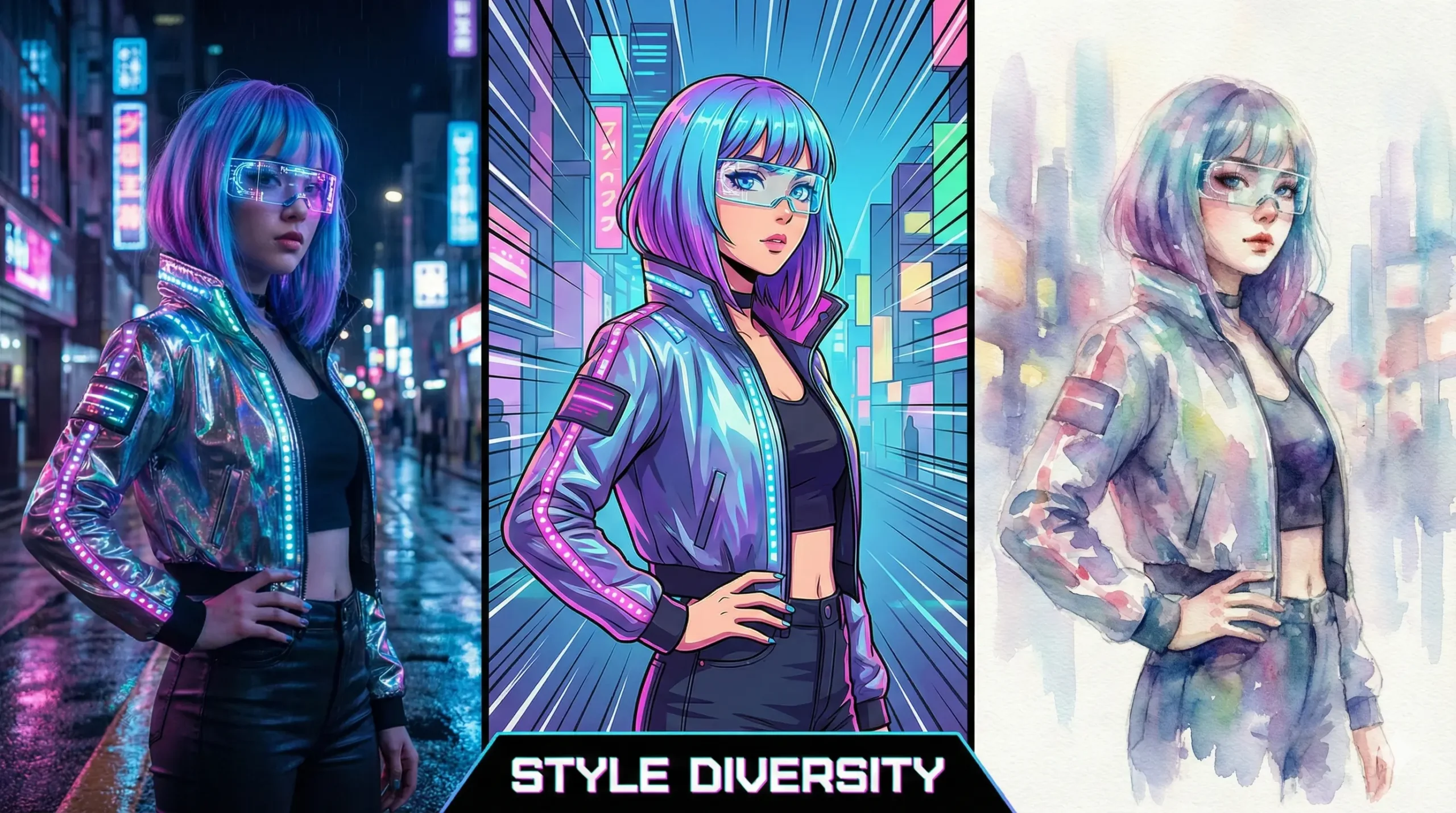
Style Diversity
While Google defaults to photorealism, BanaGen supports the full spectrum of artistic styles:
- Anime and manga illustration
- 3D renders and CGI
- Watercolor and traditional media styles
- Comic book and graphic novel aesthetics
- Photorealistic when you need it
No complex prompt engineering required — the platform understands style requests naturally.
Typography Excellence
Text in images remains one of AI’s biggest challenges. While we’ve covered Google text-to-image AI capabilities in detail, BanaGen is optimized for even better text rendering accuracy across 100+ languages, making it ideal for:
- Poster and banner design
- Social media graphics with headlines
- Logo concepts and wordmarks
- Infographics and data visualization
Character Consistency
Unlike Google’s tools, BanaGen offers built-in character consistency features. Upload reference images, and maintain your character’s appearance across multiple generations — essential for:
- Comic and manga creation
- Brand mascot development
- Storyboarding and sequential art
- Product visualization with consistent styling
Creator-Focused Interface
BanaGen’s interface was designed for artists, not developers. Every feature prioritizes creative workflows over technical configuration. As covered in our Google Text to Image AI comparison, this focus on usability dramatically improves the creation experience.
Can AI Replace Professional Designers?
After testing every major Google design AI tool extensively, here’s my honest assessment:
AI will not replace professional designers in 2026.
Here’s why:
What AI Does Well:
- Rapid ideation and concept exploration
- First-draft mockups and visualizations
- Background generation and asset creation
- Text-to-image translation for non-artists
What AI Still Can’t Do:
- Understand brand strategy and positioning
- Navigate client relationships and feedback
- Make contextual creative decisions
- Ensure consistency across complex campaigns
- Innovate beyond training data patterns
The most effective approach combines AI capabilities with human creative direction. Use Google art generator tools (or alternatives like BanaGen) for rapid iteration, then apply professional judgment to refine, curate, and perfect the results.
Frequently Asked Questions
Is Google AI art generator free?
Partially. Google offers free access through the Gemini app and ImageFX, but limits vary by region/account and plan. Higher limits and pro workflows may require paid plans or developer/enterprise platforms. BanaGen gives new users 36 free credits on first Google login (no credit card required); after that, usage depends on your plan/credits.
Can Gemini create anime art?
Yes, but with limitations. Gemini can generate anime-style images, but results are less consistent than photorealistic outputs. The style control is limited compared to dedicated platforms like Midjourney or BanaGen, which specialize in diverse artistic styles.
Why does Google AI block my design requests?
Google applies aggressive content filtering to prevent misuse. This often affects legitimate creative requests involving certain poses, themes, or styles. The filters prioritize safety over creative freedom, which frustrates professional designers.
What’s the best Google AI for design work?
For most designers, the Gemini App with AI Pro subscription offers the best balance of capability and accessibility. For more advanced control, consider alternatives like BanaGen that offer similar technology with creator-focused interfaces.
Deep Dive: Master AI Art with Google Technology
Want to understand the full potential and limitations of Google’s AI art tools? These comprehensive resources will help you make informed decisions about which tools best serve your creative workflow:
- Google AI tools – Complete breakdown of every Google AI platform (Gemini, ImageFX, AI Studio, Vertex AI) with use-case recommendations
- Imagen for art generation – Technical analysis of DeepMind’s Imagen technology, including DreamBooth personalization and style capabilities
- Google text-to-image AI – Comprehensive comparison of all Google text-to-image generators with real-world testing results
- How to Use Google Imagen – Step-by-step tutorial with prompt engineering tips for maximum art quality
- Google vs Nano Banana – Side-by-side comparison: which delivers better results for professional design work?
Conclusion
AI art Google tools represent remarkable technological achievement. Gemini’s image generation, powered by Nano Banana Pro and DeepMind Imagen, produces stunning photorealistic results with impressive text rendering.
But technology alone doesn’t serve creative professionals. The aggressive content filtering, limited style flexibility, and developer-focused interfaces create friction for designers who need reliable, versatile tools.
For photorealistic mockups and quick concepts, Google’s tools work well. For professional illustration, character design, branding work, and projects requiring creative freedom, purpose-built alternatives deliver better results with less frustration.
The question isn’t whether AI can replace designers — it can’t. The question is which AI tools best support human creativity. Choose based on your specific needs: Google for photorealism and integration with Google Workspace, alternatives like BanaGen for style diversity and creative freedom.
Ready to explore AI art without restrictions? Try BanaGen (get 36 free credits on first login — one-time) — professional-quality results across every artistic style, strong text rendering, and an interface built for creators.
