
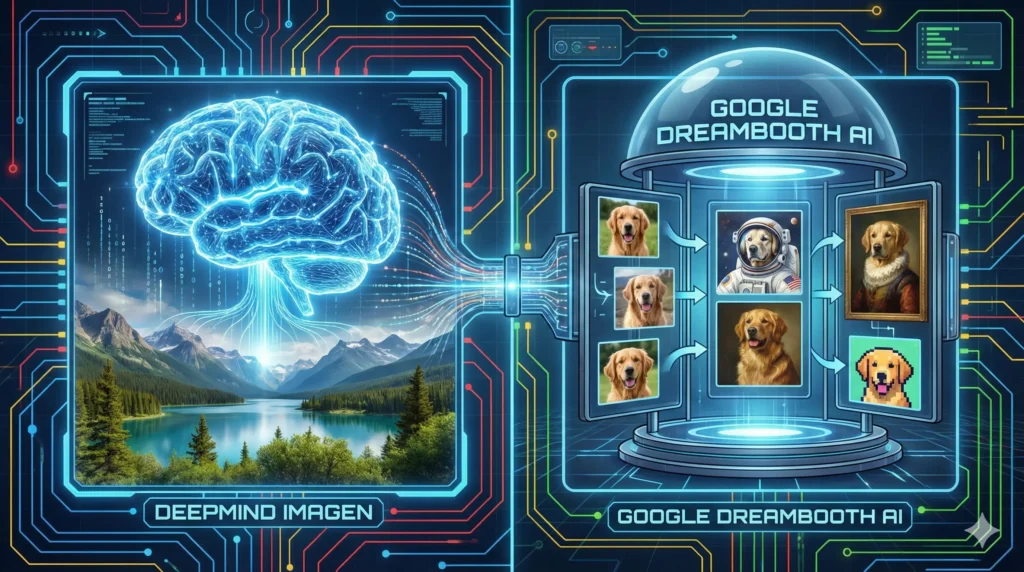

Quick answer: Imagen is Google DeepMind’s text-to-image model (Imagen 4 is the newest generation), while DreamBooth is a fine-tuning technique that personalizes a model using a few reference images. You can try Google image generation via Gemini or ImageFX (limits vary), and use developer/enterprise access via AI Studio/Vertex AI. BanaGen offers a creator-focused workflow: new users get 36 free credits on first Google login (one-time), and up to 4K output is available with Nano Banana Pro on paid plans.
DeepMind Imagen has become one of the most talked-about AI image generators in 2026. But here’s the problem: most people confuse it with other Google AI tools, and even more have no idea what Google’s DreamBooth AI actually does.
Are they the same thing? Can you use them for free? And why do professional creators often struggle to get the results they want from these powerful but complex technologies?
This guide breaks down everything you need to know about DeepMind Imagen, explains how Google’s DreamBooth AI works, answers the burning question “is Google AI free,” and introduces you to alternatives that deliver similar quality without the technical headaches.
What is DeepMind Imagen? The Core Technology Explained
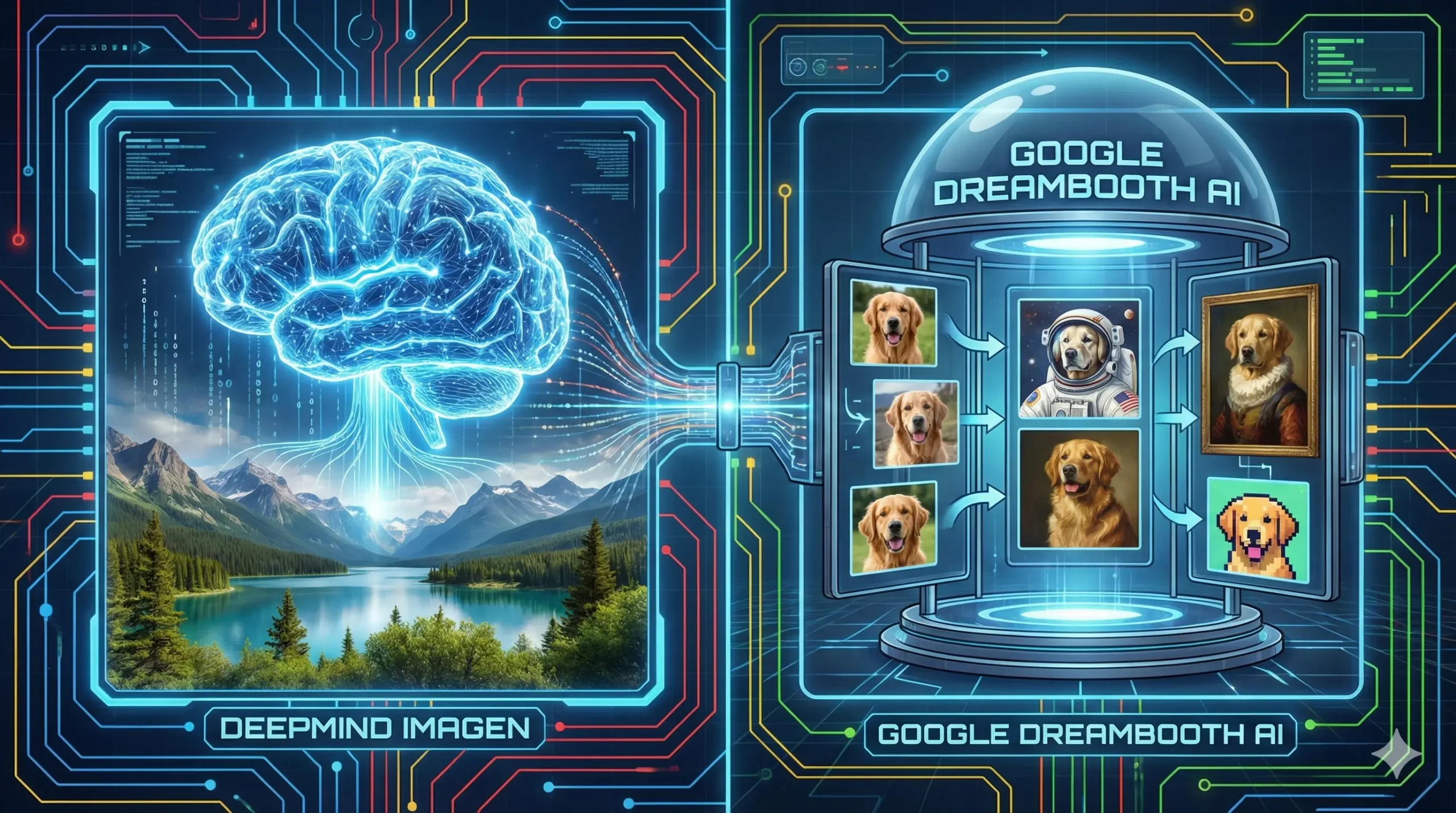
DeepMind Imagen is Google’s flagship text-to-image AI model, developed by Google DeepMind — the same research lab behind AlphaGo and Gemini. Think of Imagen as the “engine” that powers Google’s image generation capabilities across multiple products.
Currently in its fourth major iteration, Imagen 4 represents the state-of-the-art in AI image generation. According to Google DeepMind’s official documentation, Imagen 4 delivers photorealistic images with “near real-time speed and sharper clarity.”
What makes DeepMind Imagen special compared to competitors?
The model excels at several key areas. First, photorealism — Imagen 4 produces images with stunning textural accuracy and visual depth that rivals professional photography. Second, text rendering — unlike earlier AI generators that produced gibberish text, Imagen 4 can actually spell words correctly inside images. Third, speed — the latest version processes images up to 10 times faster than previous generations.
However, there’s a catch. DeepMind Imagen isn’t a standalone product you can simply download and use. Instead, it’s integrated into Google’s various platforms: Vertex AI for enterprises, Google AI Studio for developers, ImageFX for experiments, and the Gemini app for consumers. Each platform offers different levels of access, features, and pricing.
For a complete overview of all Google AI platforms and how they connect, including how Imagen fits into the broader ecosystem, read our comprehensive Google AI Models guide.
Understanding Google’s DreamBooth AI Technology
While DeepMind Imagen generates images from text descriptions, Google’s DreamBooth AI serves a completely different purpose: personalization.
DreamBooth is a fine-tuning technique developed by Google Research that teaches AI models to recognize and recreate specific subjects — your pet, your face, your product, or any unique object. Here’s how it works in simple terms:
You provide 3-5 reference images of a subject (let’s say your dog). DreamBooth then “trains” the AI model to understand what makes your dog unique — the fur pattern, face shape, distinctive features. After training, you can generate new images of your dog in any scenario: “my dog as an astronaut,” “my dog in a Van Gogh painting,” or “my dog on a tropical beach.”
The technology is genuinely impressive. Google’s DreamBooth AI essentially creates a personalized AI model that “knows” your specific subject and can place it in infinite creative contexts.
But here’s the reality check: using DreamBooth requires significant technical knowledge. You need to understand fine-tuning processes, have access to appropriate hardware (GPUs with sufficient memory), and navigate complex setup procedures. It’s not a “click and create” experience.
Image AI Google: How to Access These Technologies
So how do you actually use image AI Google technologies like Imagen and DreamBooth? Before diving into specific tools, it helps to understand what is the new Google AI in 2026. Let’s break down your options:
1. Gemini App (Consumer-Friendly)
The easiest way to access image AI Google Gemini capabilities is through the Gemini app. Free users get basic image generation powered by Gemini 2.5 Flash, while paid subscribers (Google AI Pro at $19.99/month) unlock higher limits and access to more powerful models.
Gemini now integrates Imagen 4 for image generation, offering decent quality for casual users. However, the interface is designed for general AI chat, not dedicated image creation.
2. ImageFX (Free Experimental)
Available at labs.google/fx, ImageFX provides free access to Imagen technology. It’s great for experimentation but lacks advanced features and has strict content limitations.
3. Google AI Studio (Developer-Focused)
For technical users, Google AI Studio offers direct API access to both Imagen and Gemini image models. This is where you get the most control — but also where complexity increases dramatically.
4. Vertex AI (Enterprise)
Google’s enterprise platform provides the full DeepMind Imagen experience with commercial licensing, custom training options, and DreamBooth integration. Vertex AI is pay-as-you-go; exact costs depend on the model and feature (generation vs editing vs upscaling). See the latest Vertex AI Generative AI pricing here: Vertex AI pricing.
Need a Step-by-Step Guide?
If you’re new to Google’s image generation ecosystem and want detailed instructions on accessing and using these tools effectively, our comprehensive tutorial on how to use Google Imagen covers everything from beginner setup to advanced prompt engineering techniques with 50+ practical examples.
Is Google AI Free? The Complete Pricing Breakdown
“Is Google AI free?” is one of the most common questions we receive. The answer is: it depends.
Free Options:
- Gemini App (Free Tier): Limited daily image generations with Gemini 2.5 Flash
- ImageFX: Free experimental access through Google Labs
- Google AI Studio (Free Tier): Limited quota for testing and development
Paid Options:
- Google AI Pro: $19.99/month — Higher limits, better models, priority access
- Google AI Ultra: $249.99/month — Maximum capabilities including video generation
- Vertex AI API: Pay-per-use starting at ~$0.03-0.04 per image
The free tiers work for casual experimentation, but serious creators quickly hit limitations. Usage caps, watermarks (SynthID), content restrictions, and queue times during peak hours can frustrate professional workflows.
Important note: Google AI Studio’s free tier has become more restrictive in 2026. Many users report hitting daily limits much faster than before, with some features now requiring payment.
DeepMind Imagen Limitations: Why Creators Struggle
Despite its impressive technology, DeepMind Imagen presents significant challenges for creative professionals:
1. Closed Ecosystem
Unlike open-source alternatives, Imagen is tightly controlled within Google’s ecosystem. You can’t download the model, customize its behavior, or train it on your own data (outside of enterprise Vertex AI contracts).
2. Style Limitations
While Imagen excels at photorealism, achieving specific artistic styles requires careful prompt engineering. Want anime? Watercolor? A particular artist’s aesthetic? Results can be inconsistent and often require dozens of regenerations.
3. DreamBooth Complexity
Google’s DreamBooth AI technology enables personalization, but accessing it requires technical setup through platforms like Hugging Face, Google Colab, or local GPU infrastructure. There’s no simple “upload your photos and create” experience in Google’s consumer products.
4. Content Restrictions
Google applies strict safety filters across all Imagen-powered products. While understandable from a corporate perspective, these filters frequently block legitimate creative requests — fantasy characters, dramatic lighting, certain fashion styles, and more.
5. Inconsistent Quality Across Platforms
The same Imagen technology performs differently depending on which Google platform you use. ImageFX results often differ from Gemini app results, which differ from Vertex AI outputs. This inconsistency frustrates creators seeking reliable workflows.

BanaGen: The Best DeepMind Imagen Alternative
This is where BanaGen enters the picture. Rather than fighting with Google’s fragmented ecosystem, BanaGen provides a unified platform built specifically for visual creators.
How does BanaGen compare to DeepMind Imagen?
BanaGen leverages Google’s Nano Banana technology (based on Gemini 3 architecture) to deliver image quality comparable to Imagen 4 — but with a fundamentally different user experience. Curious about what makes Nano Banana different from traditional image generators? Read our deep dive on the Nano Banana alternative and why it’s becoming the preferred choice for professional creators.
Key Advantages:
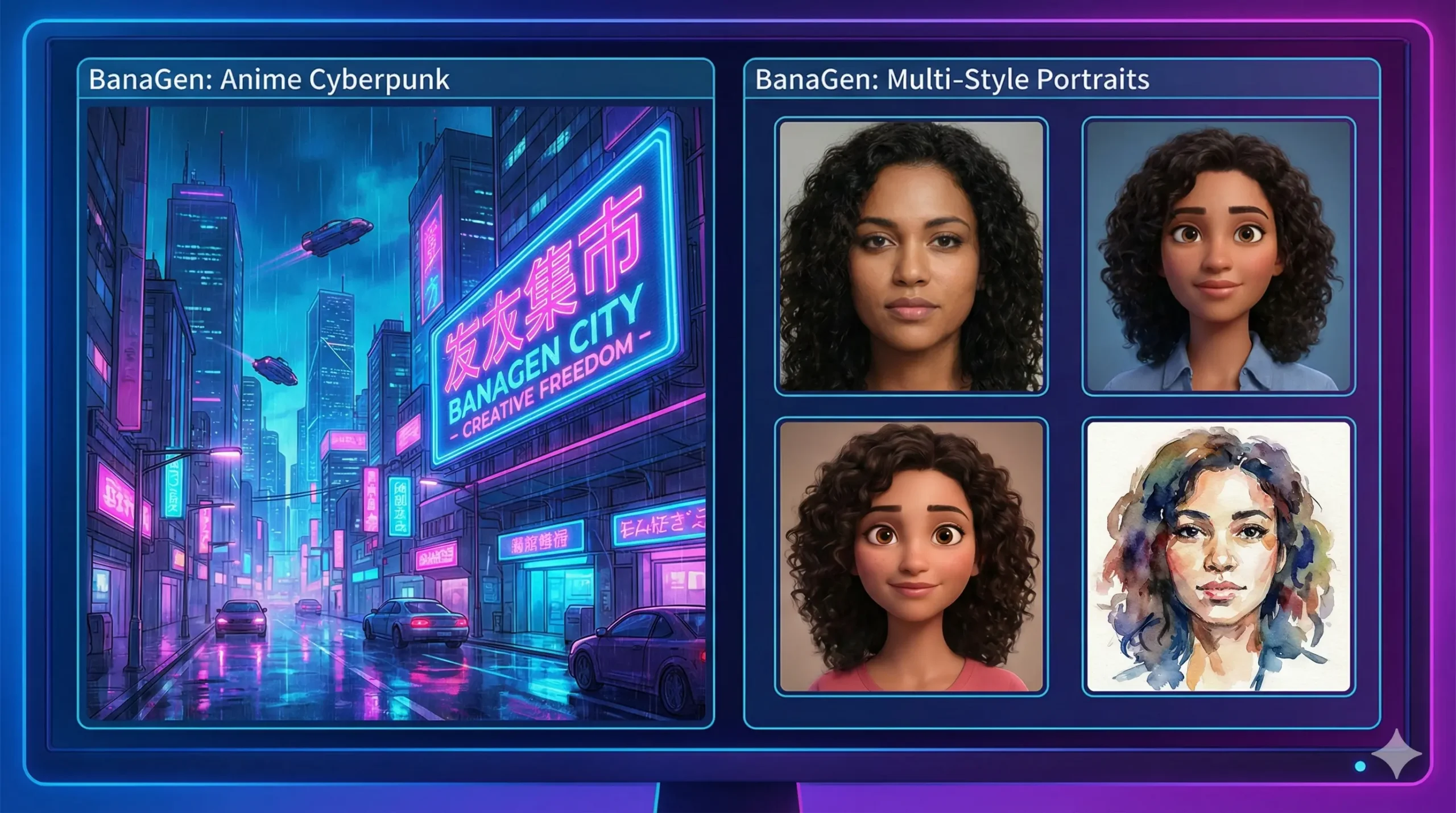
- No Technical Setup: Unlike DreamBooth, BanaGen’s character consistency features work out of the box. Upload reference images, and the AI maintains your subject’s appearance across generations.
- Style Flexibility: From photorealistic to anime, watercolor to 3D renders — BanaGen supports diverse artistic styles without complex prompt engineering.
- Perfect Typography: 97% text rendering accuracy across 100+ languages, solving Imagen’s historical weakness with in-image text.
- Up to 4K Output: Available with Nano Banana Pro on paid plans.
- Creator-Focused Interface: Every feature designed for artists, not developers.
DeepMind Imagen vs BanaGen: Feature Comparison
| Feature | DeepMind Imagen (via Google) | BanaGen |
|---|---|---|
| Image Quality | Excellent (Photorealistic) | Excellent (Multiple Styles) |
| Text Rendering | Good (Improved in v4) | Excellent (97% Accuracy) |
| Personalization | Requires DreamBooth Setup | Built-in (Up to 10 References) |
| Max Resolution | Varies by Platform | Up to 4K (Nano Banana Pro, paid plans) |
| Ease of Use | Low-Medium (Technical) | Very High (Creator-Focused) |
| Free Tier | Limited (With Restrictions) | Yes (36 free credits for new users) |
| Style Flexibility | Primarily Photorealistic | Anime, 3D, Art, Photo, etc. |
Frequently Asked Questions
What is the difference between DeepMind Imagen and Google’s DreamBooth AI?
DeepMind Imagen is the core image generation model — it creates images from text descriptions. Google’s DreamBooth AI is a fine-tuning technique that personalizes AI models to recognize specific subjects. Think of Imagen as the “painter” and DreamBooth as the “teacher” that shows the painter what your specific dog/face/product looks like.
Is Google AI free for image generation?
Partially. Google offers free tiers through Gemini App and ImageFX, but with significant limitations (daily caps, watermarks, content restrictions). Professional use typically requires paid subscriptions ($19.99-$249.99/month) or API usage fees (~$0.04/image).
Can I use DreamBooth without coding?
Through Google’s official platforms, DreamBooth requires technical setup. However, platforms like BanaGen offer similar personalization features (character consistency) without any coding or technical configuration.
Which is better: Imagen 4 or Nano Banana Pro?
Both deliver excellent quality. Imagen 4 excels at photorealism and is ideal for product photography and realistic scenes. Nano Banana Pro (available on BanaGen) offers better text rendering, more style flexibility, and easier access for non-technical users.
Explore More: Master AI Image Generation
Ready to dive deeper into Google’s AI image generation ecosystem and discover the best tools for your creative workflow? These comprehensive guides will help you make informed decisions:
- How to use Google Imagen – Complete tutorial with prompt engineering tips, best practices, and 50+ real-world examples
- Google AI Models guide – Understand the entire ecosystem: Gemini, Imagen, Veo, and how each platform connects
- Nano Banana alternative – Why Nano Banana is emerging as the creator-friendly alternative to Imagen
- Google vs Nano Banana Comparison – Side-by-side testing: speed, quality, and real-world performance
- Google AI Image Generator Review – Compare all Google image creation tools with pricing and feature analysis
Conclusion
DeepMind Imagen represents Google’s most advanced image generation technology, and Google’s DreamBooth AI enables powerful personalization capabilities. Together, they form an impressive technical foundation.
But impressive technology doesn’t always translate to accessible tools. Google’s fragmented approach — spreading these capabilities across Gemini, ImageFX, AI Studio, and Vertex AI — creates confusion and friction for creators who simply want to make beautiful images.
For developers and enterprises with technical resources, Google’s ecosystem offers unmatched power and flexibility. For visual creators who prioritize usability, style flexibility, and consistent results, alternatives like BanaGen deliver comparable quality with dramatically better user experience.
The best tool is the one that helps you create without fighting the interface. Choose based on your skills, needs, and patience for technical complexity.
Ready to experience image generation without the complexity? Try BanaGen (get 36 free credits on first login — one-time) — Imagen-quality results, DreamBooth-style personalization, zero technical setup required.
